
Overview
csstyle standardizes graphs, tables, and reports to
follow the Core Surveillance visual guidelines. The design is
deliberately narrow. The package does not expose every ggplot2 option.
It offers a small set of outputs that look the same, whoever produces
them and whenever.
The package covers four areas.
- ggplot2 themes and color scales
- Color palettes defined centrally and applied consistently
- Number and date formatting in both Norwegian and international journal styles
- Small utility functions for common axis tasks
Themes
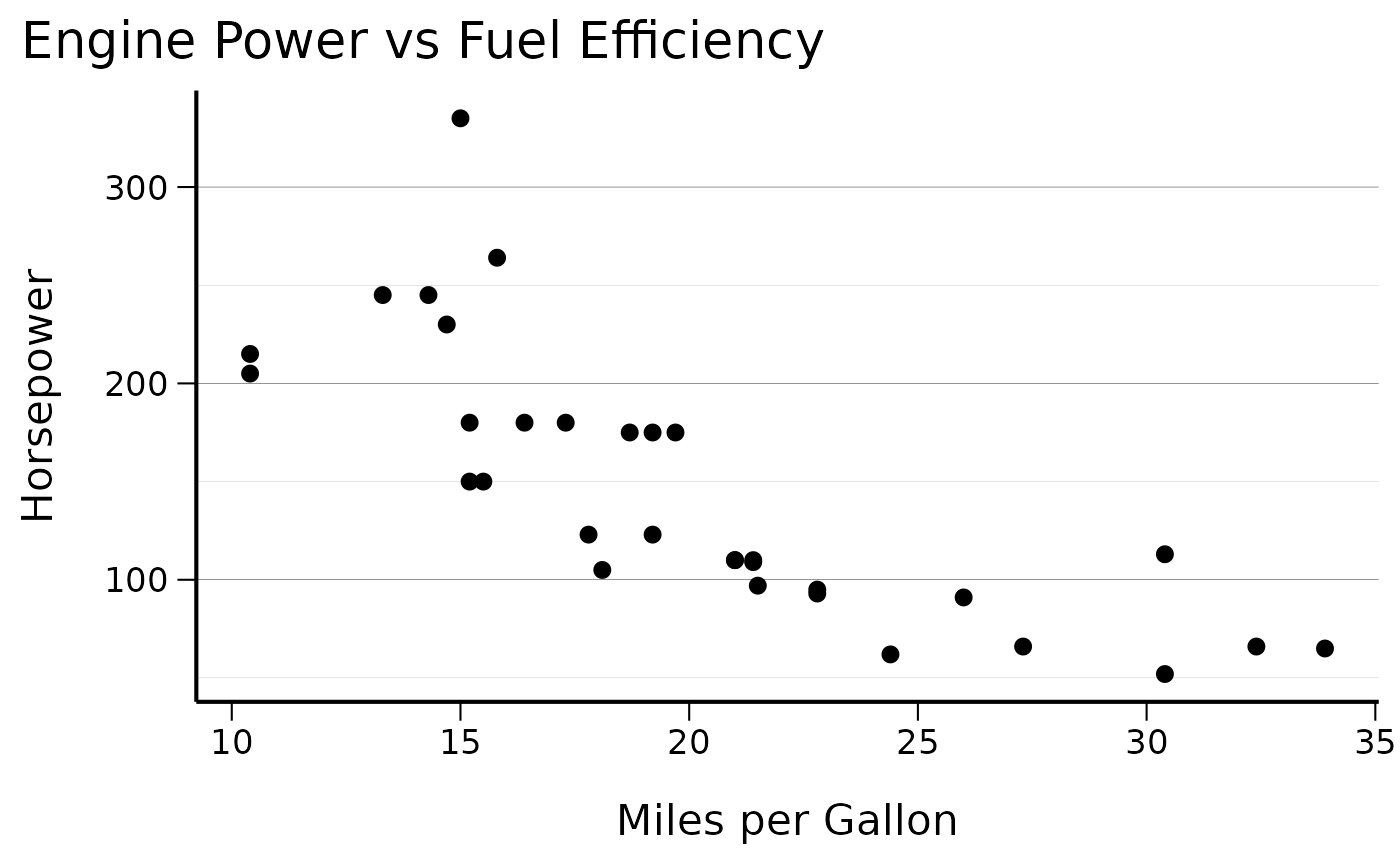
theme_cs() is the main theme function. It applies the
Core Surveillance appearance to any ggplot2 plot.
# Basic scatter plot with Core Surveillance theme
ggplot(mtcars, aes(x = mpg, y = hp)) +
  geom_point() +
  theme_cs() +
  labs(
    title = "Engine Power vs Fuel Efficiency",
    x = "Miles per Gallon",
    y = "Horsepower"
  )
A few arguments adjust the layout without breaking the overall style.
# Theme with bottom legend and vertical x-axis labels
ggplot(mtcars, aes(x = factor(cyl), y = mpg, fill = factor(cyl))) +
  geom_boxplot() +
  theme_cs(legend_position = "bottom", x_axis_vertical = TRUE) +
  labs(title = "MPG by Number of Cylinders", fill = "Cylinders")
Color palettes
The package ships several predefined palettes. Inspect them directly.
# View available colors
head(colors$named_colors)
#>        H1        H2        H3        H4        H5        H6
#> "#393C61" "#0975B5" "#2EA1C0" "#709900" "#B11643" "#FC5F56"

# Display all palettes
display_all_palettes()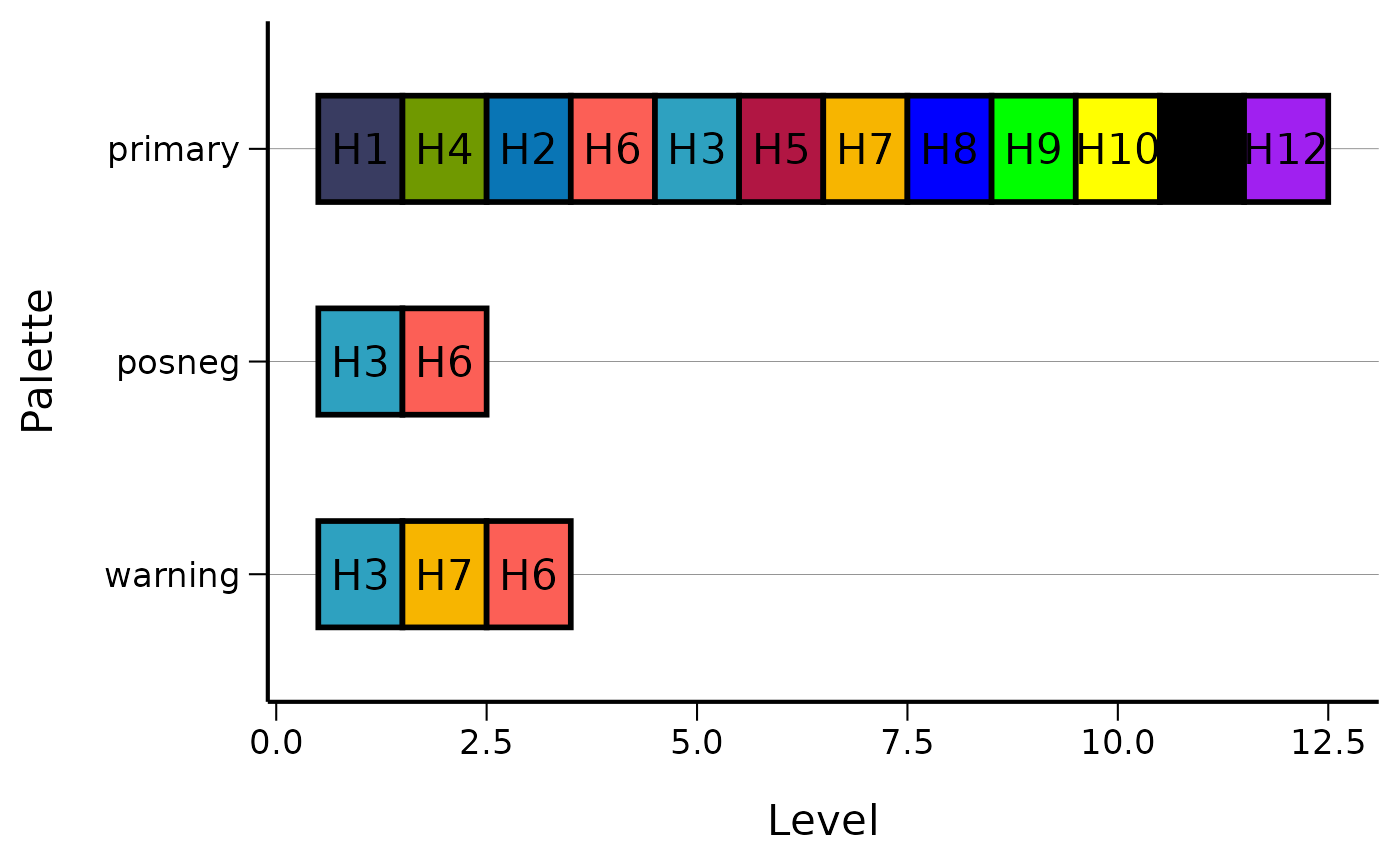
Apply a palette to a plot with scale_color_cs() or
scale_fill_cs().
# Using the primary color palette
ggplot(mtcars, aes(x = mpg, y = hp, color = factor(cyl))) +
  geom_point(size = 3) +
  scale_color_cs(palette = "primary") +
  theme_cs() +
  labs(color = "Cylinders")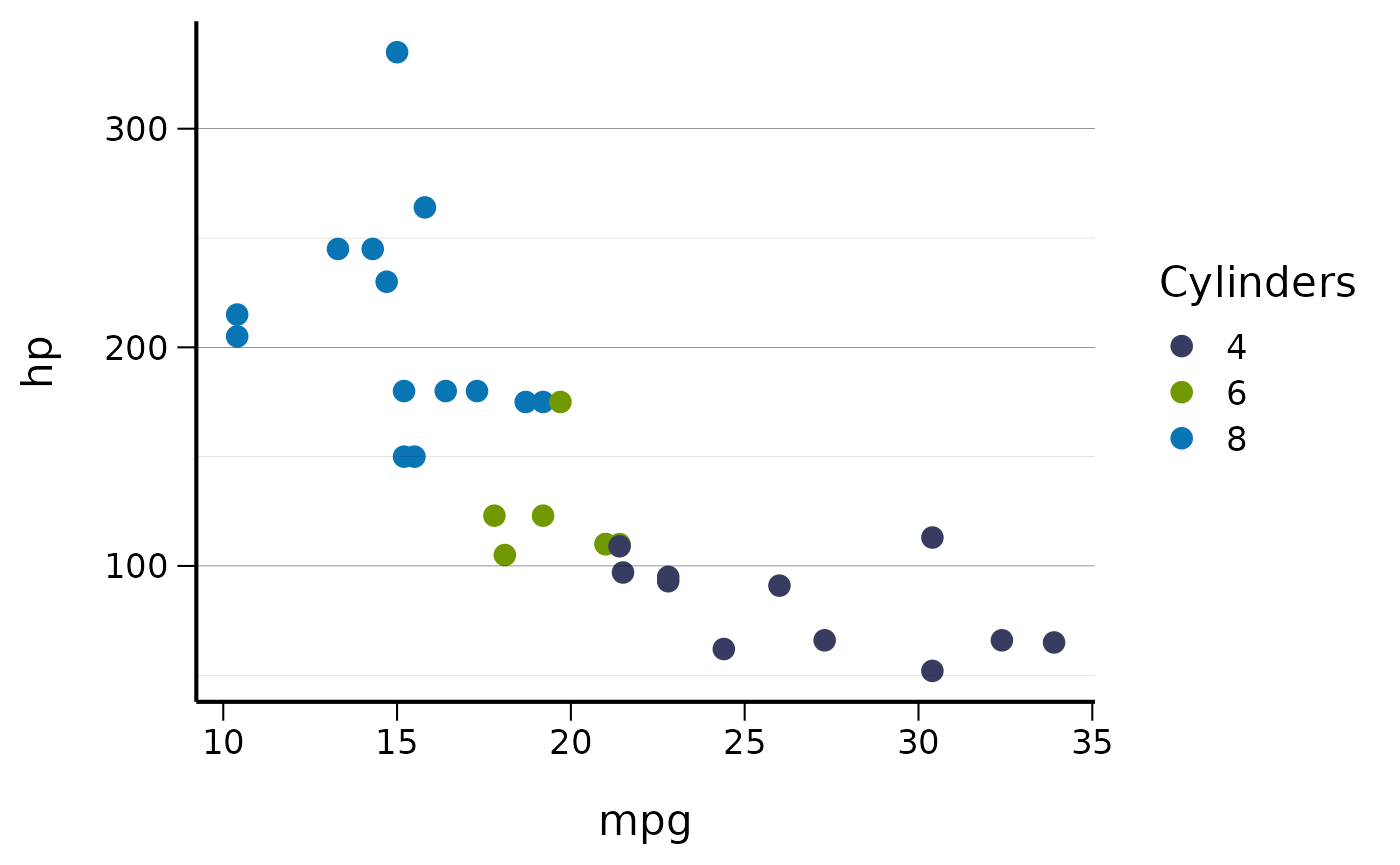
# Using the warning palette for fills
ggplot(mtcars, aes(x = factor(cyl), fill = factor(cyl))) +
  geom_bar() +
  scale_fill_cs(palette = "warning") +
  theme_cs() +
  labs(title = "Car Count by Cylinders", fill = "Cylinders")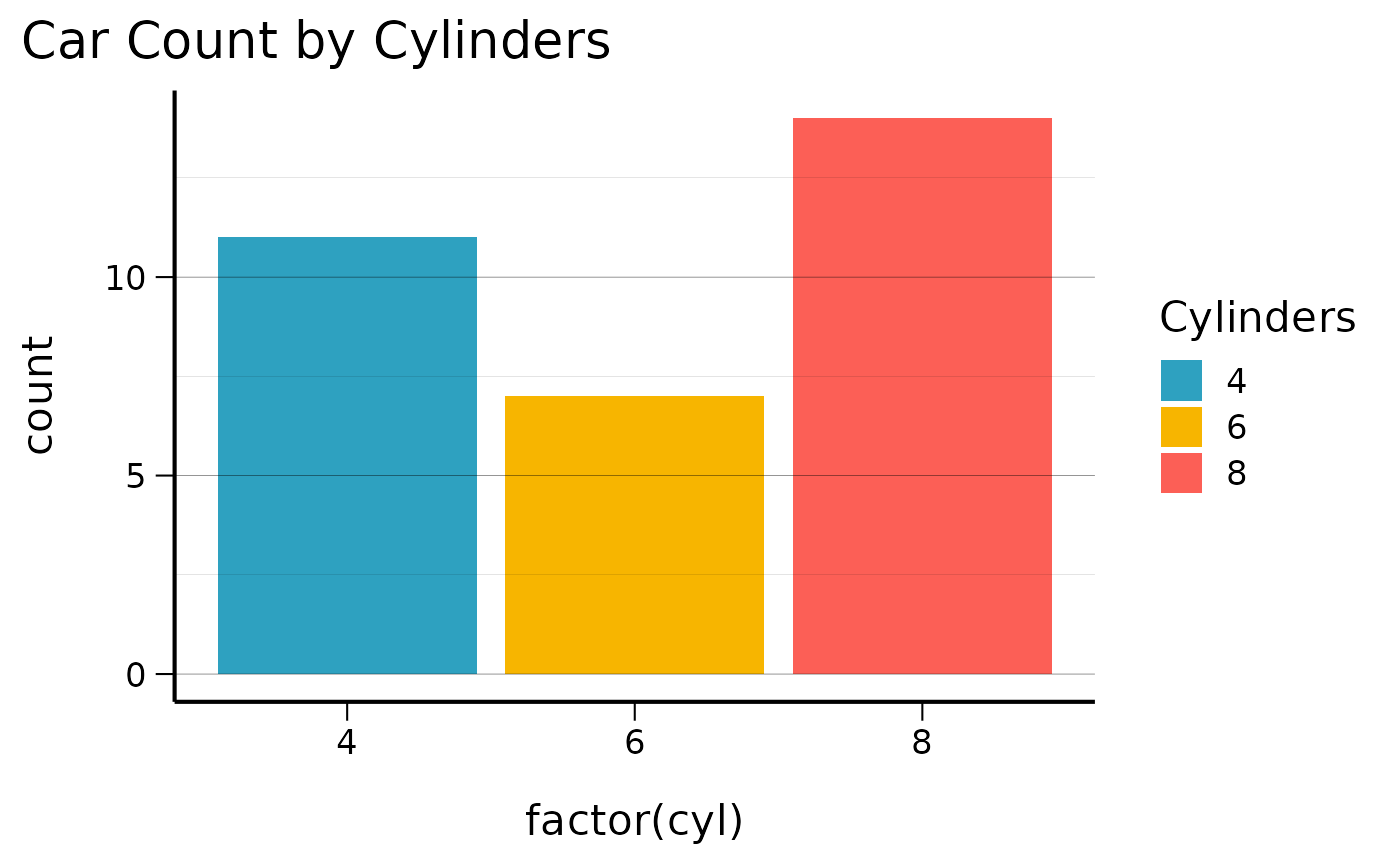
Number formatting
Every number formatting function belongs to one of two parallel families. The two families reflect the intended audience. The Norwegian family follows domestic conventions. The journal family follows international conventions for academic publications. The “Journal formatting” section below compares the two side by side.
Norwegian number format
The format_num_as_nor_* functions use a comma for the
decimal separator, a space for thousands, and "IK" (ikke
kjent) for missing values.
# Format numbers with Norwegian conventions
numbers <- c(1234.56, 9876.54, 123.45, NA)

# Basic number formatting (0, 1, 2 decimal places)
format_num_as_nor_num_0(numbers)
#> [1] "1235" "9877" "123"  "IK"
format_num_as_nor_num_1(numbers)
#> [1] "1234,6" "9876,5" "123,5"  "IK"
format_num_as_nor_num_2(numbers)
#> [1] "1234,56" "9876,54" "123,45"  "IK"

# Percentage formatting
percentages <- c(12.34, 56.78, 90.12)
format_num_as_nor_perc_1(percentages)
#> [1] "12,3 %" "56,8 %" "90,1 %"

# Per 100k population rates
rates <- c(123.45, 678.90)
format_num_as_nor_per100k_1(rates)
#> [1] "123,5 /100k" "678,9 /100k"
Date formatting
Norwegian date format
The format_date_as_nor() and
format_datetime_as_nor() functions produce dates in the
Norwegian dd.mm.yyyy style.
# Current date
format_date_as_nor()
#> [1] "22.08.2026"

# Specific dates
test_date <- as.Date("2023-12-25")
format_date_as_nor(test_date)
#> [1] "25.12.2023"

# Datetime formatting
test_datetime <- as.POSIXct("2023-12-25 14:30:00")
format_datetime_as_nor(test_datetime)
#> [1] "25.12.2023 kl. 14:00"

# Filename-safe datetime
format_datetime_as_file(test_datetime)
#> [1] "2023_12_25_143000"
Journal formatting
For academic publications the package provides a parallel set of
functions. They use a decimal point, a comma thousands separator,
"NA" for missing values, and ISO 8601 dates.
Number format comparison
# Compare Norwegian vs Journal formatting
numbers <- c(1234.56, 9876.54, NA)

# Norwegian format (space thousands, comma decimal, "IK" for NA)
format_num_as_nor_num_1(numbers)
#> [1] "1234,6" "9876,5" "IK"

# Journal format (comma thousands, decimal point, "NA" for NA)
format_num_as_journal_num_1(numbers)
#> [1] "1,234.6" "9,876.5" "NA"

# Percentage comparison
percentages <- c(12.34, 56.78)

# Norwegian: "12,3 %" vs Journal: "12.3%"
format_num_as_nor_perc_1(percentages)
#> [1] "12,3 %" "56,8 %"
format_num_as_journal_perc_1(percentages)
#> [1] "12.3%" "56.8%"

# Per 100k comparison
rates <- c(123.45, 678.90)

# Norwegian: "123,5 /100k" vs Journal: "123.5/100k"
format_num_as_nor_per100k_1(rates)
#> [1] "123,5 /100k" "678,9 /100k"
format_num_as_journal_per100k_1(rates)
#> [1] "123.5/100k" "678.9/100k"
Date format comparison
test_date <- as.Date("2023-12-25")
test_datetime <- as.POSIXct("2023-12-25 14:30:00")

# Norwegian format: "25.12.2023"
format_date_as_nor(test_date)
#> [1] "25.12.2023"

# Journal format (ISO 8601): "2023-12-25"
format_date_as_journal(test_date)
#> [1] "2023-12-25"

# Datetime comparison
format_datetime_as_nor(test_datetime)     # "25.12.2023 kl. 14:00"
#> [1] "25.12.2023 kl. 14:00"
format_datetime_as_journal(test_datetime)  # "2023-12-25 14:30:00"
#> [1] "2023-12-25 14:30:00"
Log scale transformations
Both families include inverse log transformation variants. Use them when the axis values are on a log scale and you want the labels to show the original units.
log_values <- c(1, 2, 3)

# Log2 transformations (2^1, 2^2, 2^3 = 2, 4, 8)
format_num_as_nor_invlog2_1(log_values)      # "2,0", "4,0", "8,0"
#> [1] "2,0" "4,0" "8,0"
format_num_as_journal_invlog2_1(log_values)  # "2.0", "4.0", "8.0"
#> [1] "2.0" "4.0" "8.0"

# Log10 transformations (10^1, 10^2, 10^3 = 10, 100, 1000)
format_num_as_journal_invlog10_1(log_values) # "10.0", "100.0", "1,000.0"
#> [1] "10.0"    "100.0"   "1,000.0"
Utility functions
Pretty breaks
pretty_breaks() generates axis break positions that
round to human-friendly values.
ggplot(mtcars, aes(x = mpg, y = hp)) +
  geom_point() +
  scale_y_continuous(breaks = pretty_breaks(n = 4)) +
  theme_cs()
Every nth label
On crowded discrete axes, every_nth() keeps only every
nth tick label and drops the rest.
ggplot(mtcars, aes(x = rownames(mtcars), y = mpg)) +
  geom_col() +
  scale_x_discrete(breaks = every_nth(n = 4)) +
  theme_cs() +
  set_x_axis_vertical()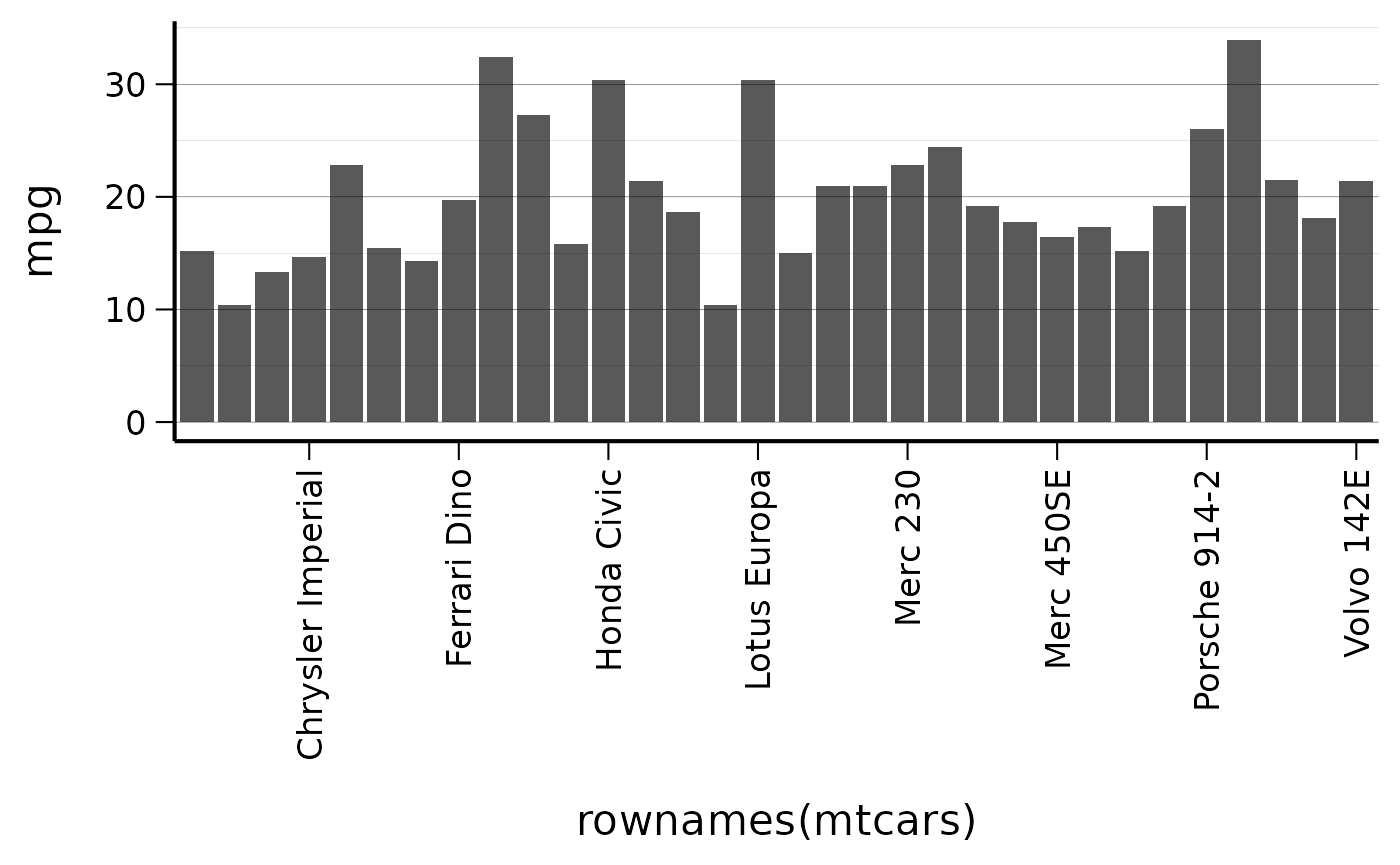
Further reading
Run help(package = "csstyle") for the full function
list. Individual help pages such as ?theme_cs,
?scale_color_cs and ?format_num_as_nor_num_1
document single functions.